
The interface
Sidebar, user menu, language and what's new.
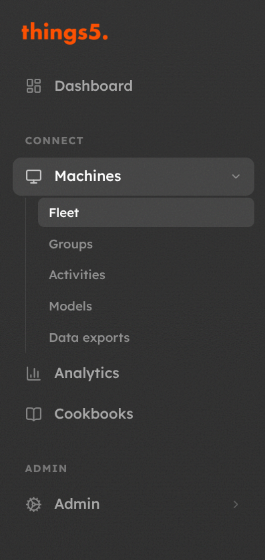
Sidebar
| Entry | Content |
|---|---|
| Dashboard | Overview of the fleet, see Dashboard |
| Connect › Machines | Fleet (the machine list), Groups (Groups and sharing), Activities (bulk operations), Models (Machine models), Data exports (Data exports) |
| Connect › Analytics | Diagnostic dashboards, see Analytics |
| Connect › Cookbooks | Cookbooks and recipe templates |
| Admin | For organization administrators: Organization settings, Users, Roles, Data Usage, Settings |
Entries you do not have permission for are not shown. Some entries appear only if the feature is enabled for your organization.
User menu
Click your name at the bottom of the sidebar:
- Language: English, Italiano, Deutsch, Français, Español. The choice is saved on your account.
- Settings: your profile, two-factor authentication, units and notification channels, see Your account.
- What's new: the latest changes to the platform. They are also shown in a pop-up after login, which you can turn off with Don't show again.
- Logout.
Other elements
- Machine status (online, offline, alarm) updates live, without reloading the page.
- Organization administrators see a Send Feedback button to report a bug or suggest an improvement; technical details are attached automatically.
- If your organization still offers it, Switch to legacy UI at the bottom of the sidebar opens the previous interface.
Updated about 2 hours ago