
Notifications
Choose which machine events notify you, and how.
Notifications are set in two places:
- Which events: on each machine, in the Notifications tab.
- How you receive them: in your account, Settings › Notifications (email, browser push, Telegram), see Your account.
On the machine
Open the machine and the Notifications tab. It lists the events of the machine model, with their severity (alarm, warning, info), plus the connection and disconnection of the machine. Turn on the switch of the events you want to be notified about. Search notifications finds an event by name.
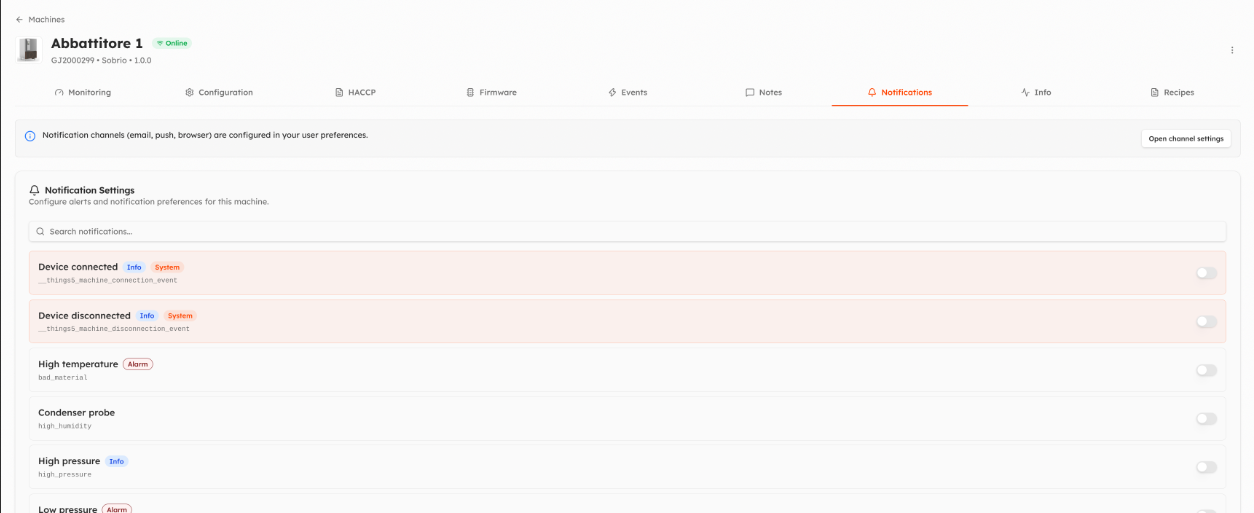
The settings are personal: each user chooses their own events.
Other notifications
- HACCP reports: from the bell button of the HACCP tab.
- New users and new machines: organization administrators can turn on these notifications for a user from the user page, see Users.
- Plans: emails about plan activation and expiration are configured by administrators, see Plans.
Video
Watch the video on YouTube. It shows the previous version of the interface: an updated video is coming.
Updated 9 days ago