
Machine detail
The machine page, its tabs and its menu.
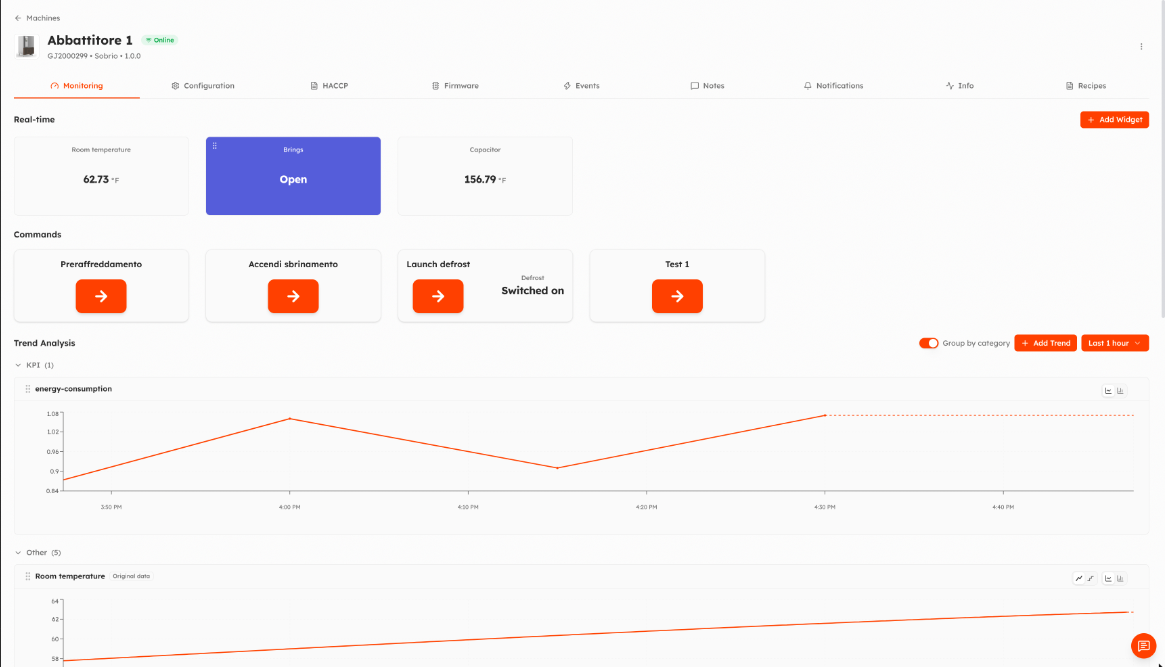
Click a machine in the list to open its page. The header shows name, status, serial number, model and firmware version. Below are the tabs; some appear only if the model supports them or if you have the permission.
| Tab | Shown when |
|---|---|
| Monitoring | Always |
| Configuration | You can manage the machine configuration and the firmware is known to Things5 |
| HACCP | The model has HACCP enabled |
| Firmware | The model supports firmware updates and you can update firmware |
| Events | Always |
| Notes | Always |
| Notifications | Always |
| Info | Always |
| Recipes | The model supports recipes and you can manage recipes |
Monitoring
Live values, commands and charts of the machine. See Monitoring and commands.
Configuration
Read and write the machine parameters. See Parameters.
HACCP
HACCP records of the machine, with export to Excel. See HACCP.
Firmware
Current version and remote update. See Firmware update.
Events log
Alarms, warnings and information events, with filters. See Events.
Notes
Free notes about the machine, visible to everyone with access to it. See Notes.
Notifications
Which events of this machine send you a notification. See Notifications.
Info
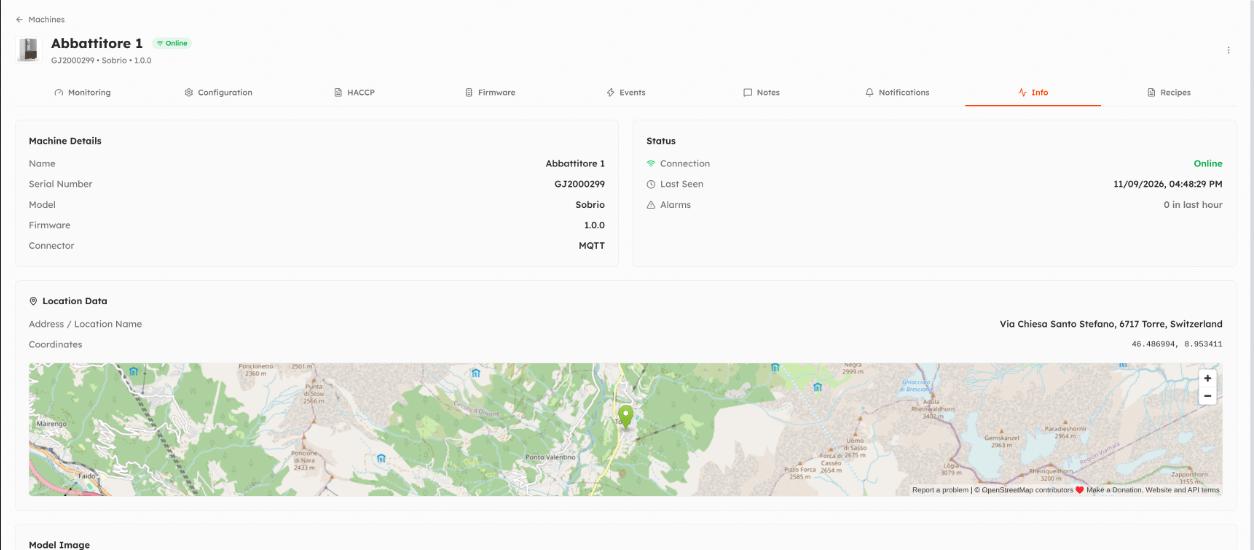
Machine details (name, serial number, model, firmware, connector), connection status and last seen time, location with map, custom attributes (editable if you can manage the machine) and the model image.
Recipes
The recipes stored on the machine. See Machine recipes.
Machine menu
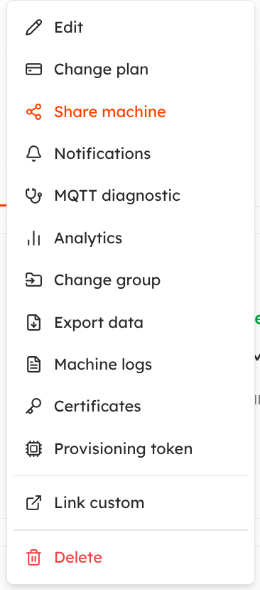
The ⋮ menu at the top right (also on the cards and rows of the machine list) groups the other actions. Items you cannot use are not shown.
| Item | What it does |
|---|---|
| Edit | Change serial number, name, model, firmware, group and location. |
| Change plan | Assign a plan, see Plans. |
| Share machine | See who has access (directly or through a group) and give access to a person by email and role. |
| Notifications | Opens the Notifications tab. |
| MQTT diagnostic | Live view of the MQTT messages of the machine, see MQTT diagnostic. |
| Analytics | Diagnostic dashboard of the machine, see Analytics. |
| Change group | Move the machine to another group. |
| Export data | Export metrics, states and events, see Data exports. Available if enabled for your organization. |
| Machine logs | Log lines sent by the machine, see Logs. |
| Certificates | Get a new certificate for the machine: with a pairing code (recommended) or, as an exception, downloading it from the browser. See Secure device provisioning. |
| Provisioning token | Generates a pairing code to enter on the device, see Provisioning with a pairing code. |
| Start VPN / Stop VPN | Remote VPN, for machines with things5OS. |
| Custom links | Links added by your organization administrators, see Organization settings. |
| Delete | Deletes the machine, after confirmation. |
Video
Watch the video on YouTube. It shows the previous version of the interface: an updated video is coming.
Updated 9 days ago