
Your account
Profile, two-factor authentication, units and notification channels.
Open Settings from the user menu (your name at the bottom of the sidebar).
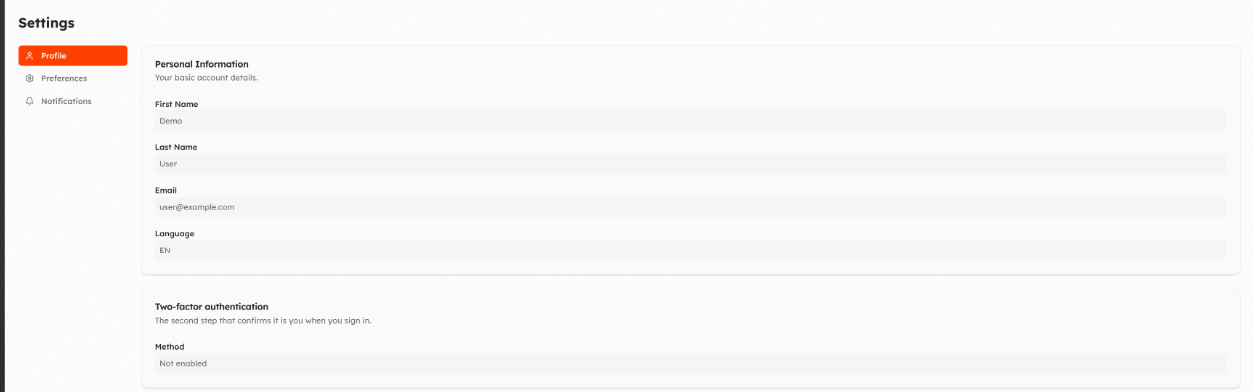
Profile
- Personal Information: first name, last name, email and language.
- Two-factor authentication: shows your method (authenticator app, SMS or both). You can switch method or remove one of the two; you may be asked to sign in again before changing it. If 2FA is required and not yet set up, you are asked to set it up at the next sign-in.
- Custom User Info: additional information your organization asks for (for example a phone number or the acceptance of a document). If a required field is empty, Things5 opens this page after login and asks you to fill it in.
Preferences
Unit System: show values as defined by the device (Default), or convert them to the Metric or Imperial system. With Category Overrides you can choose a different system for single categories (for example temperature in °F and everything else metric).
Notifications
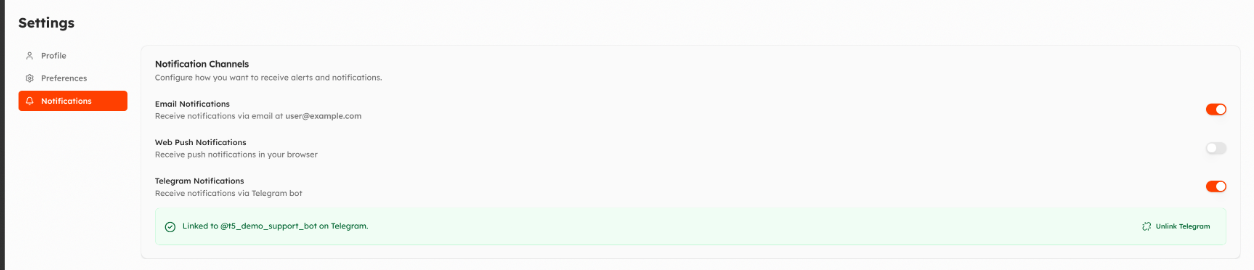
Notification Channels decides how you receive notifications:
- Email Notifications.
- Web Push Notifications: notifications in the browser. Add this browser registers the current browser; registered devices can be renamed, paused or removed. On iPhone and iPad, add Things5 to the home screen first.
- Telegram Notifications: open the organization's Telegram bot and press Start. Available if your organization has configured a bot.
Which events notify you is set on each machine, see Notifications.
Updated 9 days ago