
Events
Alarms, warnings and information events of a machine.
The Events tab lists the events sent by the machine.
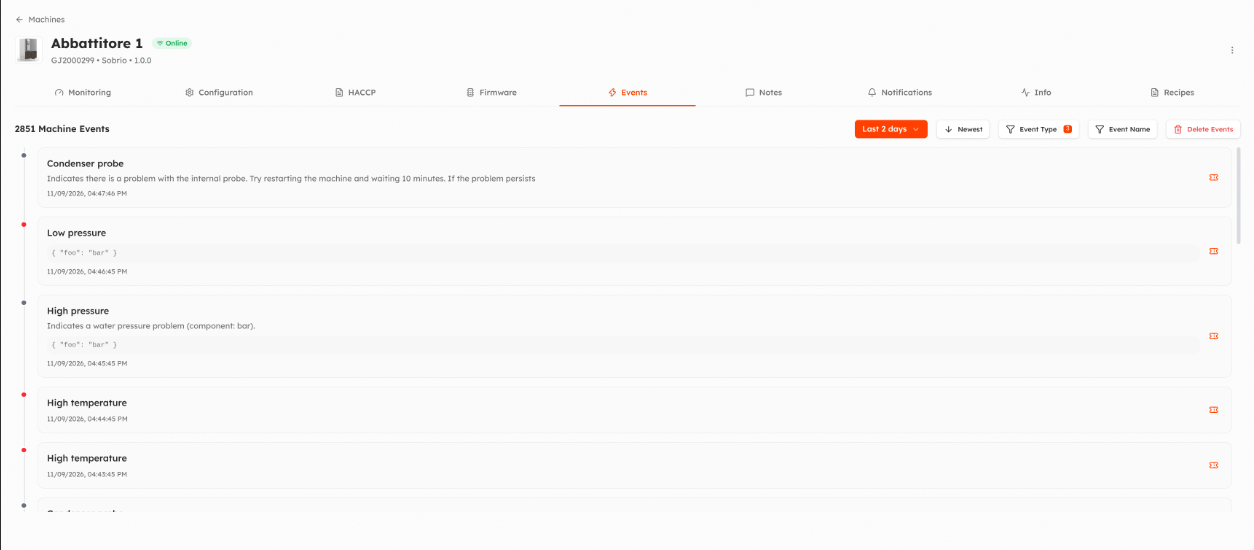
- Choose the period and the order (newest or oldest first).
- Filter by Event Type (alarm, warning, info) and by Event Name.
- Each event shows its description, start and end time, whether it is still open, and any extra data sent by the machine (Show Details, Copy JSON).
Actions
- Close Event: closes an open event by hand, for example when the machine could not send its end. Requires the permission to manage the machine.
- Create Ticket / Edit Ticket: opens a support ticket about the event, if your organization uses Things5 tickets.
- Delete Events: organization administrators can delete the events of the selected period. The deletion runs in the background and cannot be undone.
Which events notify you is set in the Notifications tab. The severity and description of each event are defined on the firmware, see Variables.
Updated 9 days ago