
Device tokens
Let users get access to a machine by scanning a QR code on it.
A device token gives a user access to a machine with a given role when they consume it, for example by scanning a QR code shown on the machine's display. This lets end users or technicians get access to a machine without an administrator inviting them.
Machines request tokens automatically, following the policies you define. Open Admin › Token Policies (organization administrators).
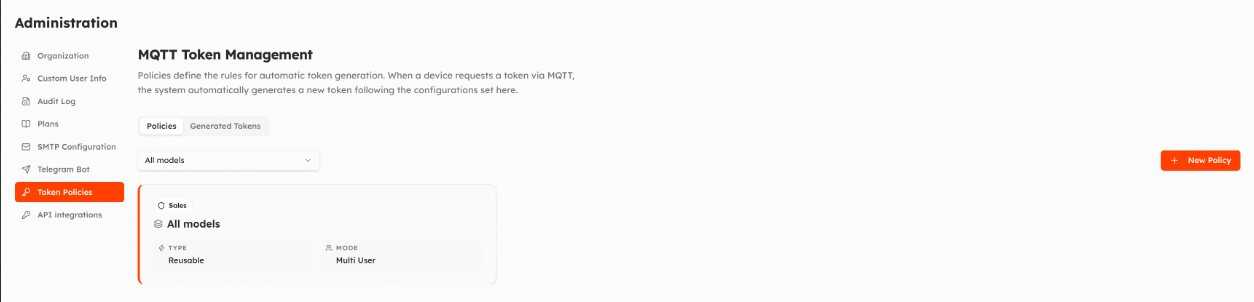
Policies
New Policy:
| Setting | Notes |
|---|---|
| Machine Model | The model the policy applies to, or all models. |
| Role | The role the user receives on the machine. |
| User mode | Single User: the token can be used by one user only. Multi User: by several users. |
| One-shot | The token can be used only once. |
| Expiry | Automatic expiry, or an exact date. |
A model can have at most two policies: one single-user and one multi-user.
Generated tokens
The Generated Tokens tab lists the tokens generated by the machines, with role, type (one-shot or reusable), creation and expiry dates and status (active, used, expired).
The machine side is described in the MQTT API: Device tokens; tokens can also be managed through the HTTP API.
Updated about 2 hours ago