
Genuin studio access control

Access control for Genuin Studio is now fully granular. Three additions work together: Genuin Studio permissions in roles, agent groups, and per-group role assignment on each user. Define what a role can do, group your agents, then give each user the right groups with the right role on each.
Genuin Studio permissions in roles
Admin › Roles — the permission templates — gain a dedicated Genuin Studio section. Permissions are split by feature and by action, so a role can be allowed to view without managing, or to manage without deleting:
- Agents — view, manage (create, edit, delete), import/export, and use
- Skills — view, manage (create, edit, delete), import/export
- Integrations — view, manage (create, edit, delete)
- Knowledge — documents, machine models, synonyms, feedback and conversations
- Test playground — a permission to enable or disable the playground, for both Genuin and Support
Each permission is an independent checkbox per role, so you can compose exactly the access a role needs rather than picking from fixed presets.
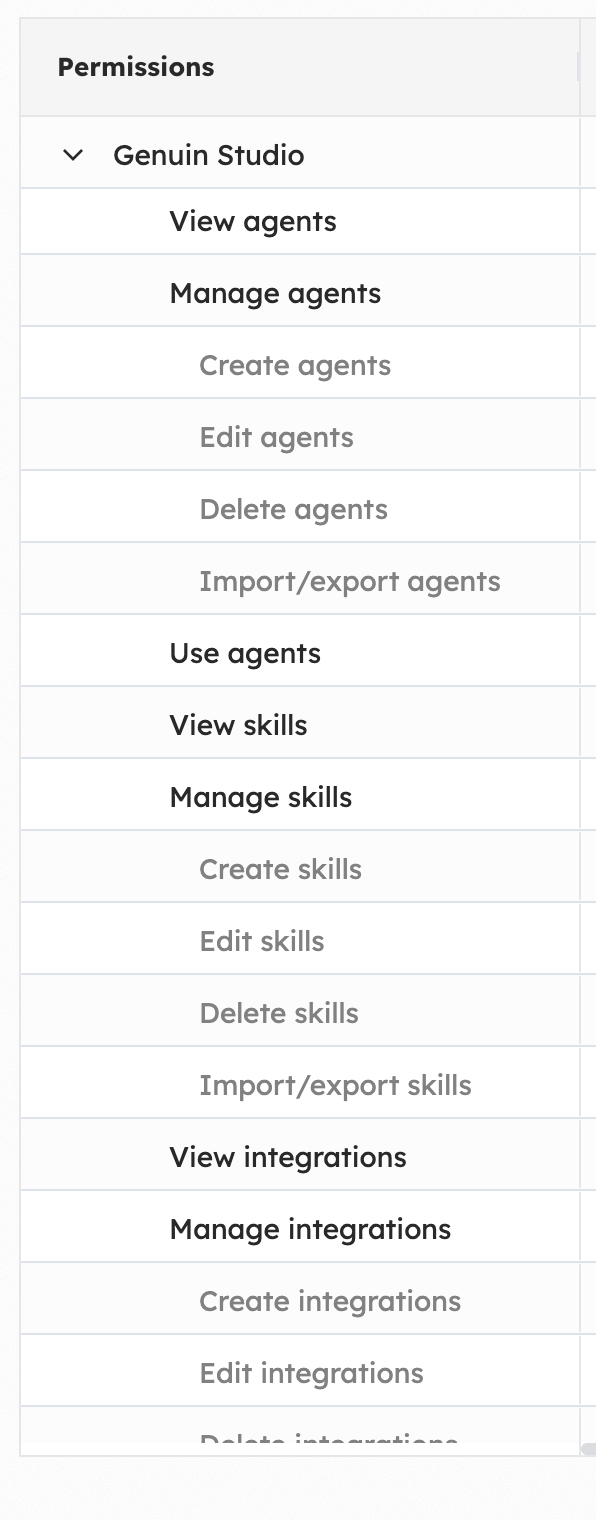
The Genuin Studio permission section in the Roles table
Agent groups
Under Assistants › Agent groups you can now gather agents into named groups — customer support, sales, and so on — and manage the agents in each from one place. The same agent can belong to more than one group, so groups reflect how teams actually use agents rather than forcing a single assignment.
A group is the unit that gets handed out to users, and each group also exposes Manage users to see and edit who has access.
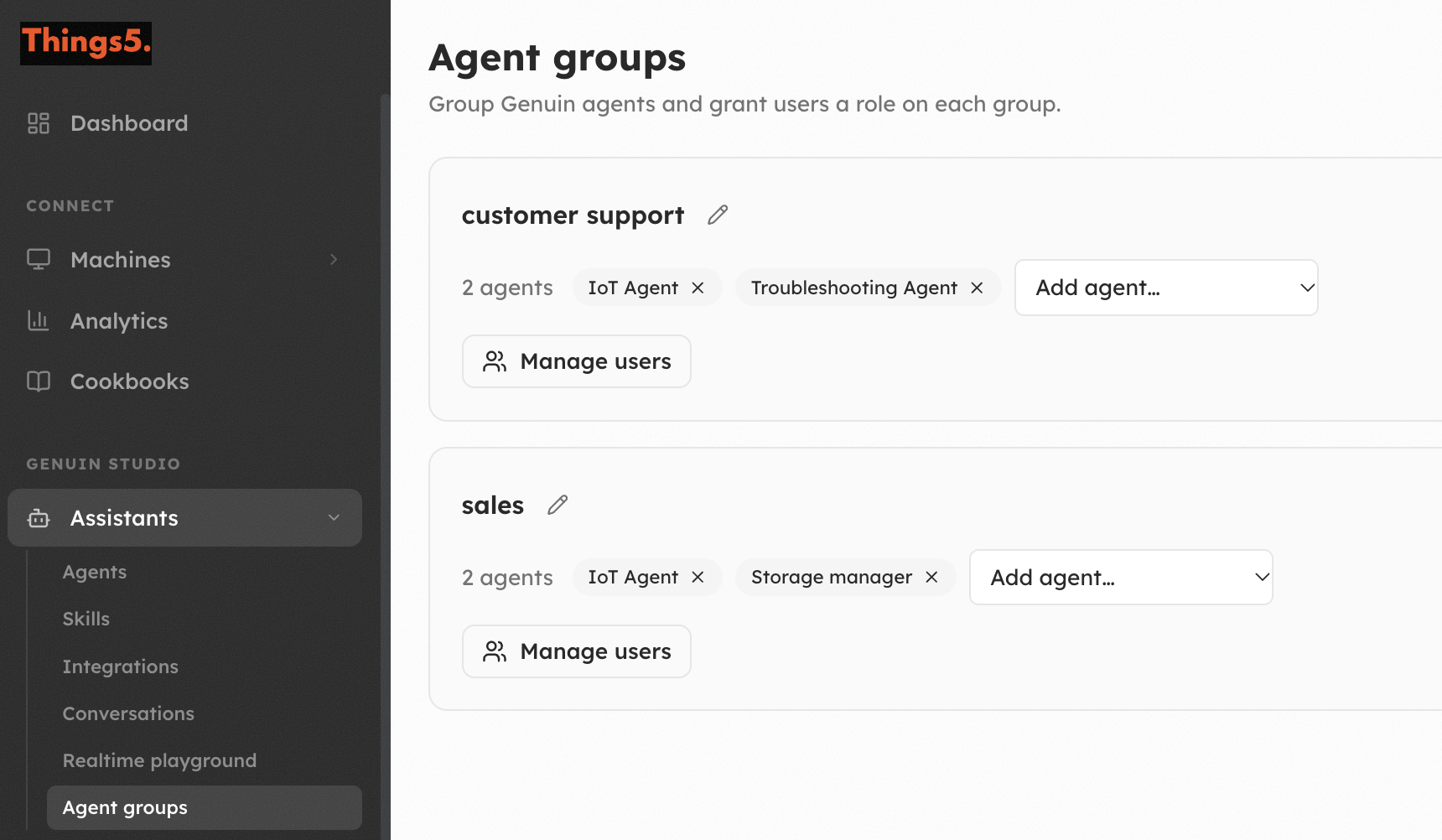
Agent groups, each with its agents and a Manage users action
Role assignment per user
On the user detail in Admin › Users, the Genuin Agent Groups Access section ties the two together. For each user you add one or more agent groups, and for every group you pick the specific role — and therefore the permissions — that applies there. The same user can hold different roles on different groups.
Access is explicit: until a user is added to a group they can't use any agent, organization administrators aside.
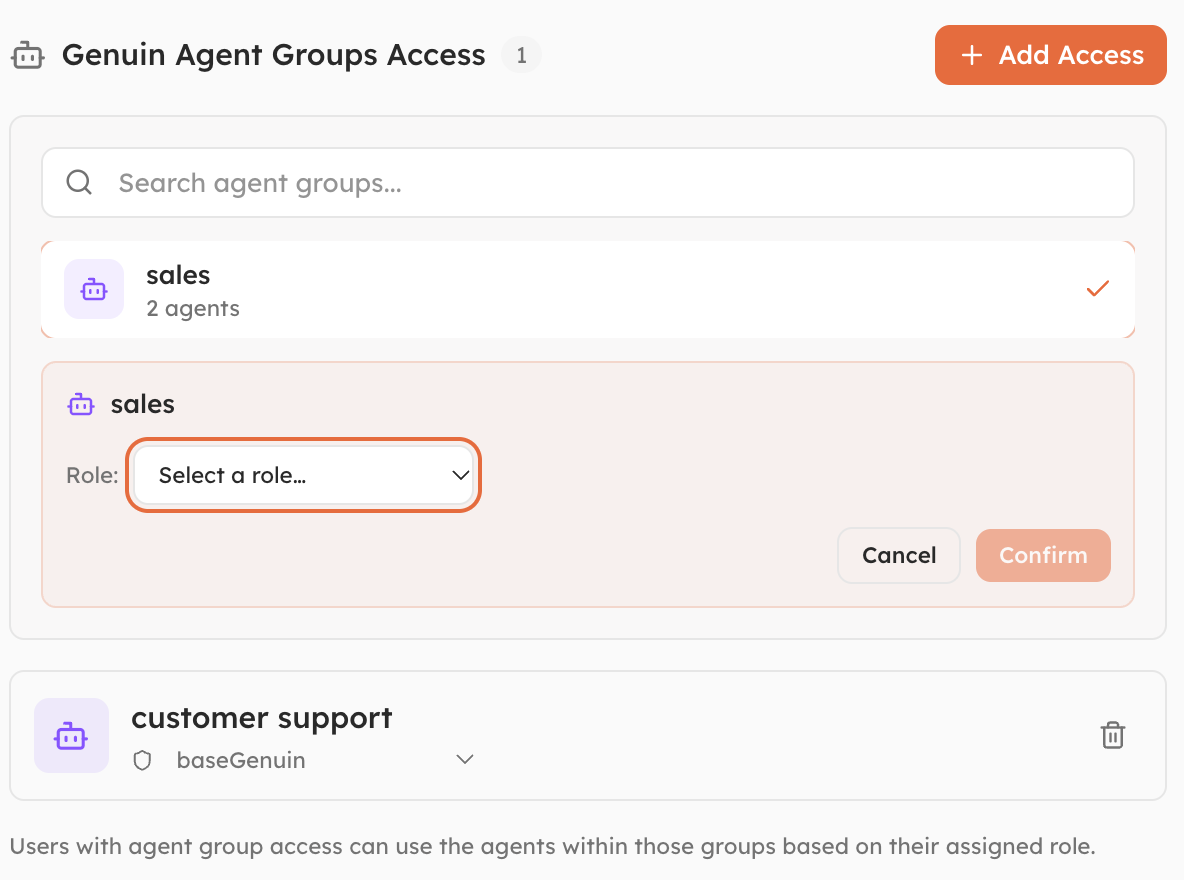
Assigning an agent group and a role to a user