
Import/export md document

Documents can now be exported and imported as Markdown: download the text of a document, refine it however you like — by hand or with an AI agent — and upload it back to the platform. The original file never has to be touched.
Why it matters
Until now, correcting the text of a document meant deleting it, fixing the source file (often a 100+ page PDF), and uploading it all over again. That is slow and expensive: a new OCR pass, the wait for reprocessing, and the risk of losing what had already been set up — the links between text and figures, and the machine models associated with the document, sometimes assigned by hand.
Markdown import/export removes that detour. The document keeps its identity: same figure references, same linked models, same history. Only the text changes.
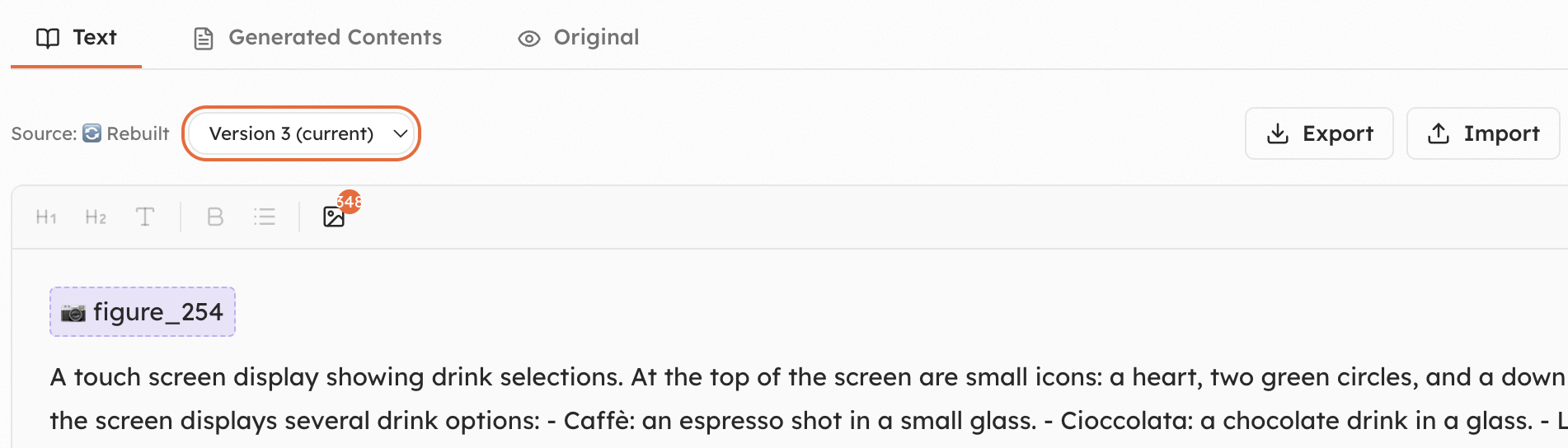
The Text tab of a document, with the Export and Import actions
Export, refine, import
From the Text tab of any document:
- Export — download the current version as a
.mdfile. Figure placeholders such asfigure_254travel with the text and stay anchored to the same images. - Refine — open it in any editor, or hand it to an AI agent: fix OCR artefacts, rewrite image descriptions, reorder or merge sections, normalise terminology, clean up a manual that was never meant to be read by a machine.
- Import — upload the
.mdfile back into the editor and review the result before saving.
Every save creates a new version
When you press Save, the platform:
- increments the document version
- reprocesses the content and splits it into sections again
- recomputes the embeddings, so assistants start answering on the updated text right away
Not happy? Go back
Nothing is lost along the way. Use the version selector at the top of the Text tab to compare an earlier version and restore it — the reprocessing simply runs again on the version you choose.
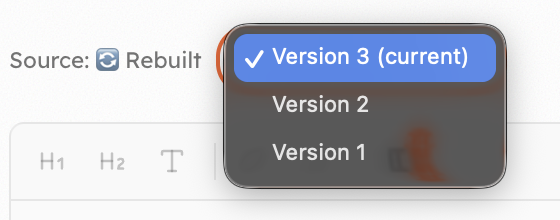
The version selector on the document