
Machine custom attributes

Machines can now have custom attributes: additional information specific to each individual machine, such as the SIM number, testing outcome, internal asset codes, or the contract expiration date. Fields are defined once at the machine model level and become available on every machine of that model.
Define the fields on the model
From the machine model page, administrators can add typed fields in the new Custom Fields tab:
- Text — free-form values (e.g. an internal code)
- Number — numeric values (e.g. the SIM number)
- Yes / No — boolean toggles (e.g. "Tested")
- List — a fixed set of options, each with a localizable label per language
- Date — calendar dates (e.g. the contract expiration)
Fields marked as Recommended show a reminder on machines where they are left empty, without ever blocking the save.
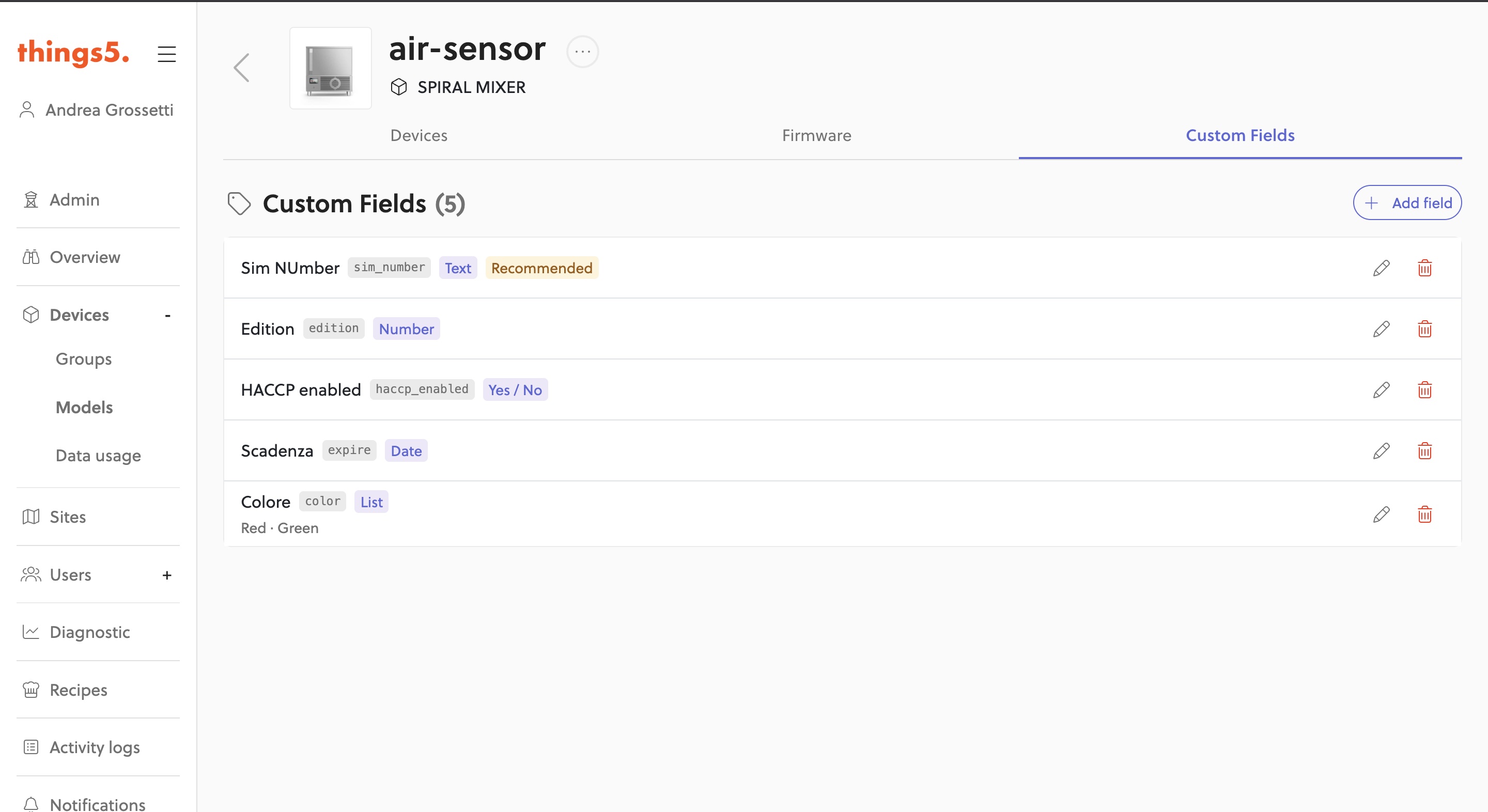
The custom fields defined on the model
Fill them in right from machine creation
When you create a new machine, its custom attributes appear directly in the last step of the creation wizard: machines start out complete with all their data.
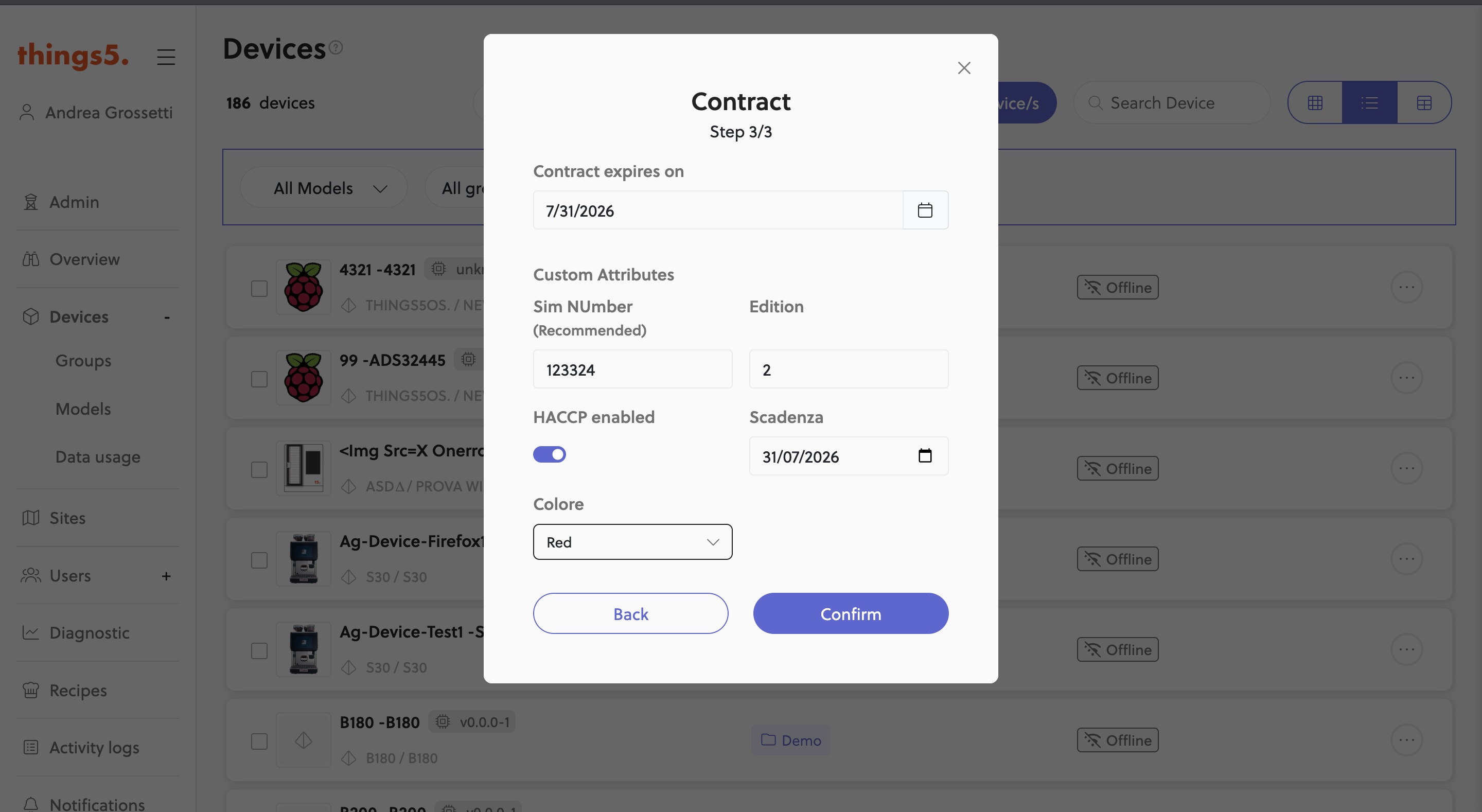
Custom attributes in the machine creation wizard
View and edit them from the machine detail
From the machine detail page you can open the Custom Attributes dialog to view and update the values at any time.
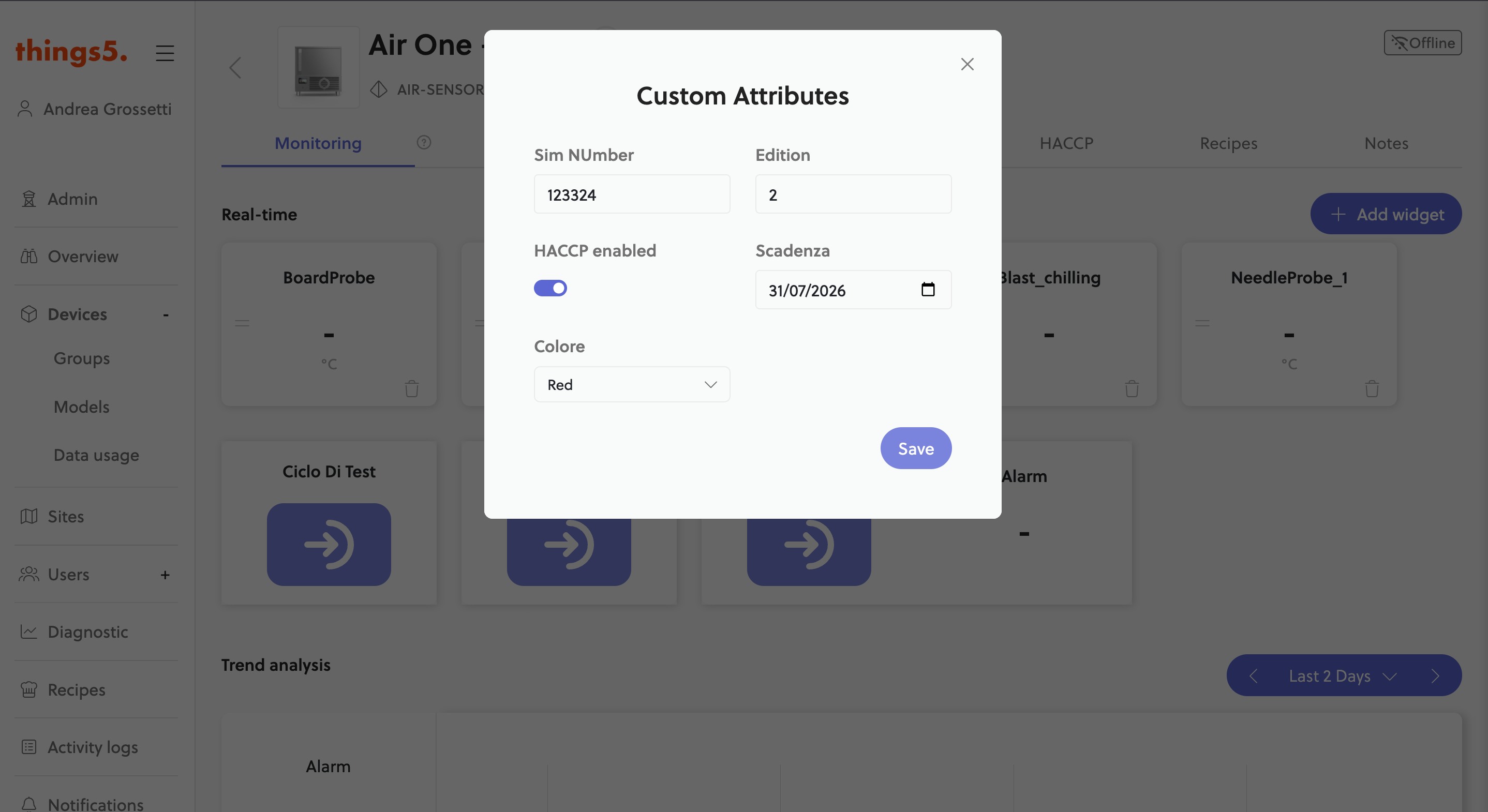
The attributes filled in from the machine detail